 AI Tool Buzz
Photo Lab

Creativity in every photo.
photo editing image transformation user interface AI cartoon maker style transfer figure detectionTool Information
| Primary Task | Images |
|---|---|
| Category | media-and-content-creation |
| Sub Categories | image-editing image-to-image |
| Country | British Virgin Islands |
| Industry | entertainment |
| Technologies | Route 53, Rackspace MailGun, Gmail, Google Apps, Amazon AWS, Microsoft Office 365, Dropbox, Facebook Comments, Nginx, Onicon, Google AdSense, iTunes, AddThis, Unruly Media, Google Tag Manager, DoubleClick, Mobile Friendly, Facebook Widget, Google Analytics, Facebook Login (Connect), Google Plus, Google Font API, Google Play, AI, Render |
| Website Status | 🟢 Active |
Photo Lab is a comprehensive AI-powered photo editing application that provides an array of advanced technologies for transforming ordinary photos into creative masterpieces. It is designed with a user-friendly interface, making it easy to apply a multitude of styles and effects to each photo. One of its key features includes its AI Cartoon Portrait Maker, which automatically generates professional-looking cartoon portraits from selfies in an instant. The application utilizes machine learning to offer art style transfers, one of the industry's leading algorithms. Additionally, it provides AI-driven figure detection, used for functionalities like background replacement and applying Photoshop-like filters and effects. For detailed stylization and coloring, the application features AI segmentation of hair, skin, and lips. Furthermore, users can access virtual 3D masks, face montages, face paint, and more. The app introduces an extended sharing capability where users can not only share the photos but also the templates and sequences of effects (named 'Combos') they've used, allowing others to replicate their style. An additional feature is a Template Creator that enables users to design and contribute their own templates to the platform. Overall, Photo Lab promotes fun, easy, and limitless creativity for all its users.
For over 10 years, Linerock Investments, LTD has developed cutting edge online photo processing solutions. Its flagship app, Photo Lab, has been downloaded over 450 million times to date, with over 200K daily users. Other apps include Visage Lab, an automatic photo-retouching app and Emolfi Keyboard, an automatic sticker generator. Linerock Investments, LTD keeps products smart and simple: although its apps deploy sophisticated technologies (such as AI-driven algorithms and 3D face tracking), they allow the user to creatively express themselves through the click of a few buttons.
| Pros |
|---|
|
| Cons |
|---|
|
Frequently Asked Questions
1. What is Photo Lab?
Photo Lab is an AI-powered photo editing application specifically designed with user-friendly interface. The platform provides an array of advanced technologies to transform ordinary photos into creative masterpieces. Key features include AI Cartoon Portrait Maker, AI-driven figure detection, style transfers, and AI segmentation for detailed stylization and coloring. Furthermore, it offers virtual 3D masks, face montages, face paint, and a wide range of effects and filters.
2. What is the AI Cartoon Portrait Maker feature in Photo Lab?
The AI Cartoon Portrait Maker in Photo Lab automatically generates professional-looking cartoon portraits from selfies. Through the use of AI technologies, the feature can transform a selfie into a cartoon portrait in less than a second.
3. How does Photo Lab use machine learning?
Photo Lab utilizes machine learning primarily to offer art style transfers which is one of the industry's leading algorithms. Furthermore, it leverages AI and machine learning for in-depth image segmentation of hair, skin, and lips which allows for detailed coloring and stylization.
4. What is AI-driven figure detection in Photo Lab?
AI-driven figure detection in Photo Lab is used mainly for functionalities like background replacement and applying Photoshop-like filters and effects. The technology identifies and isolates figures within an image making subsequent editing processes more precise.
5. How can Photo Lab replace background in photos?
Photo Lab uses AI-driven figure detection technology to replace backgrounds in photos. By identifying and isolating the main figure or subject of the photo, it can accurately replace the background while retaining the principal figure.
6. Does Photo Lab offer Photoshop-like filters?
Yes, Photo Lab offers Photoshop-like filters. Users can apply these professional-grade filters and effects to their photos for creative transformation and enhancement.
7. What is meant by AI segmentation in Photo Lab?
AI segmentation in Photo Lab refers to the process of partitioning an image into multiple segments, specifically focusing on hair, skin, and lips. This allows for more detailed and accurate stylization and coloring in photos.
8. How does Photo Lab assist in detailed stylization and coloring?
Photo Lab assists in detailed stylization and coloring through its AI segmentation feature. The platform uses AI technology to segment specific areas like hair, skin, and lips in the images enabling users to apply precise stylization and coloring.
9. What are the virtual 3D masks in Photo Lab?
Virtual 3D masks in Photo Lab are part of a range of creative effects available in the application. Utilizing augmented reality technology, users can apply these 3D masks to their photos, providing a unique and creative twist.
10. What does the face montage feature do in Photo Lab?
The face montage feature in Photo Lab allows users to create composite images by combining or superimposing multiple images. This feature is typically used to blend or merge faces onto different backgrounds or scenes.
11. Can I share the templates or sequences of effects I've used in Photo Lab?
Yes, in Photo Lab you can share not only your edited photos but also the templates and sequences of effects, named as 'Combos', you used. This sharing capability allows others to replicate your style.
12. What is the Template Creator feature in Photo Lab?
The Template Creator feature in Photo Lab allows users to design and contribute their own templates to the platform. This feature promotes user-generated content and adds to the diversity and options of the templates available in the application.
13. How does Photo Lab promote creativity among its users?
Photo Lab aims to promote creativity among its users by providing an easy-to-use platform where they can transform ordinary photos into innovative masterpieces. Additionally, the extended sharing capability, the Template Creator and the grouping of effects into 'Combos' offer users room to play, experiment, and share their unique styles.
14. What are the available downloads for Photo Lab?
Photo Lab is available to download on the App Store, Google Play, and the Huawei Store.
15. What kind of photo editing does Photo Lab offer?
Photo Lab offers a wide range of photo editing capabilities, including art style transfers, Photoshop-like filters, virtual 3D masks, and face montages. It also enables users to apply a multitude of styles and effects to photos. Furthermore, it has an AI Cartoon Portrait Maker for professional-looking cartoon portraits.
16. Can I use my own effects in Photo Lab?
Photo Lab features a Template Creator that allows users to design and contribute their own templates. This means users can potentially use their own effects as part of their custom templates.
17. Can I apply multiple effects at once in Photo Lab?
Yes, you can apply multiple effects at once in Photo Lab. The platform allows you to combine several effects to get an entirely new one, a feature they call 'Combos'.
18. What is meant by 'Combos' in Photo Lab?
'Combos' in Photo Lab refer to combinations of multiple effects applied at once. Users can combine several effects to create an entirely new effect. The application allows users to share these 'Combos' so that others can replicate the same sequence of effects.
19. What makes Photo Lab different from other photo editing applications?
Photo Lab stands out from other photo editors due to its advanced AI technologies, providing features like AI Cartoon Portrait Maker, AI-driven figure detection and AI segmentation. It also promotes user participation with features like Template Creator for user-generated templates and 'Combos' for sharing sequences of effects. Moreover, it has an extended sharing feature that lets other users replicate styles.
20. What is the function of Photo Lab's extended sharing feature?
Photo Lab's extended sharing feature allows users to not only share their final photos but also provide a link to the 'Combo', the sequence of effects used in their image. This feature enables anyone to apply the same sequence of effects to their photos, thereby promoting user collaboration and style replication.
Comments
Similar Tools
 Remini
 Nano Banana AI
 NanoBananaAI
 Photopea
 AI Menu Photo
 Nano Banana
 Adobe Express
 Slazzer 3.0
 Clipping Magic
 AI Greem
 Draw Things: AI-assisted Image Generation
 Magic AI Avatars
Related News
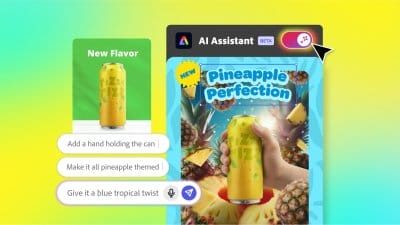
Adobe, a titan in the creative software industry, has just unveiled a significant leap forward in its product offerings, integr...
@devadigax | Oct 28, 2025
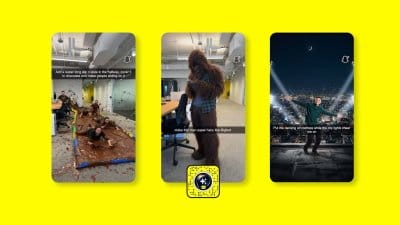
Snapchat, the popular ephemeral messaging and social media platform, is making a significant stride into the burgeoning world o...
@devadigax | Oct 22, 2025
OpenAI, the trailblazing force behind ChatGPT, appears to be making a strategic pivot with its rumored new browser, "Atlas." Wh...
@devadigax | Oct 22, 2025

In a move that underscores a growing chasm within the entertainment industry, streaming giant Netflix is reportedly going "all ...
@devadigax | Oct 21, 2025

In a significant move that reshapes the landscape of AI chatbot accessibility, OpenAI has officially confirmed that its popular...
@devadigax | Oct 21, 2025
In a significant development for the burgeoning artificial intelligence landscape, Meta AI's standalone mobile application has ...
@devadigax | Oct 20, 2025