 X / Twitter
 Facebook
 LinkedIn
 Reddit
About OpenClaw AI (Clawdbot / Moltbot)
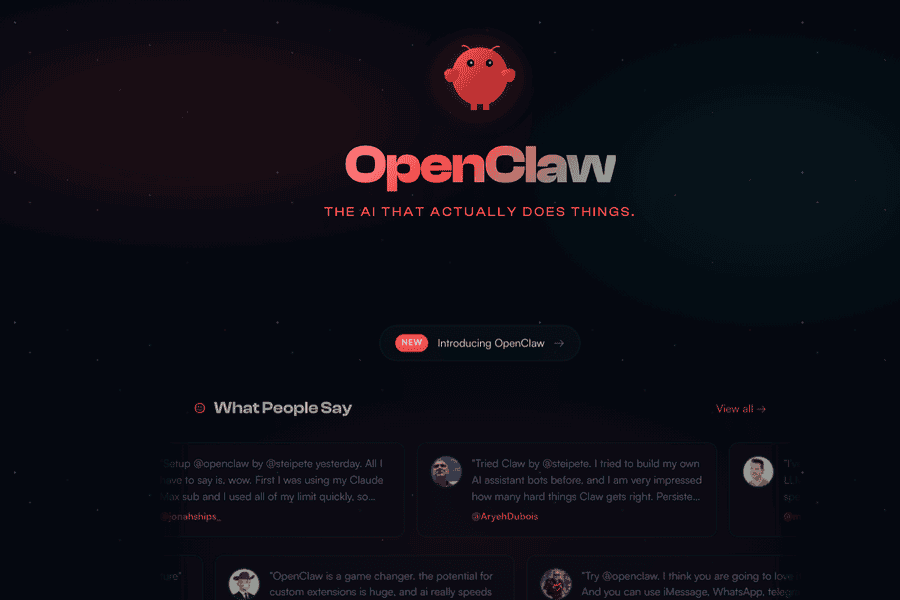
Clawdbot (also known as Moltbot) is a powerful personal AI assistant designed to live where you already communicate—inside your favorite chat apps. Instead of forcing you into yet another dashboard or interface, Clawdbot works directly through WhatsApp, Telegram, Discord, Slack, Signal, iMessage, and more. From a simple message, it can clear your inbox, send and reply to emails, manage your calendar, and even check you in for flights, turning everyday digital chores into effortless conversations.
Unlike cloud-only assistants, Clawdbot runs on your own machine. Whether you’re on macOS, Windows, or Linux, you stay in control. You can choose which model powers it—Anthropic, OpenAI, or fully local models—and keep everything private by default. Your data never has to leave your system unless you explicitly allow it, making Clawdbot ideal for people who care deeply about privacy, ownership, and security.
Clawdbot is built to be persistent and personal. Over time, it remembers your preferences, habits, and context, adapting itself to how you work. It doesn’t just answer questions—it becomes uniquely yours, learning how you like things done and responding accordingly. This persistent memory allows it to operate less like a tool and more like a long-term digital partner.
With full browser control, Clawdbot can navigate the web on your behalf—browsing sites, filling out forms, extracting data, and completing workflows that normally require manual effort. Combined with full system access, it can read and write files, run shell commands, and execute scripts. You decide the boundaries: give it full access for maximum power or keep it sandboxed for tighter control.
Extensibility is at the core of Clawdbot. Through skills and plugins, you can expand its capabilities using community-built extensions or create your own custom logic. In true recursive fashion, Clawdbot can even help write its own skills, allowing it to grow alongside your needs. The result is a deeply flexible AI agent that fits seamlessly into your existing digital life—powerful, private, and always just a message away.
Unlike cloud-only assistants, Clawdbot runs on your own machine. Whether you’re on macOS, Windows, or Linux, you stay in control. You can choose which model powers it—Anthropic, OpenAI, or fully local models—and keep everything private by default. Your data never has to leave your system unless you explicitly allow it, making Clawdbot ideal for people who care deeply about privacy, ownership, and security.
Clawdbot is built to be persistent and personal. Over time, it remembers your preferences, habits, and context, adapting itself to how you work. It doesn’t just answer questions—it becomes uniquely yours, learning how you like things done and responding accordingly. This persistent memory allows it to operate less like a tool and more like a long-term digital partner.
With full browser control, Clawdbot can navigate the web on your behalf—browsing sites, filling out forms, extracting data, and completing workflows that normally require manual effort. Combined with full system access, it can read and write files, run shell commands, and execute scripts. You decide the boundaries: give it full access for maximum power or keep it sandboxed for tighter control.
Extensibility is at the core of Clawdbot. Through skills and plugins, you can expand its capabilities using community-built extensions or create your own custom logic. In true recursive fashion, Clawdbot can even help write its own skills, allowing it to grow alongside your needs. The result is a deeply flexible AI agent that fits seamlessly into your existing digital life—powerful, private, and always just a message away.
Pros
- Runs locally with privacy by default
- works inside existing chat apps
- supports multiple AI models (OpenAI, Anthropic, local)
- persistent memory and personalization
- full browser and system control
- highly extensible with skills and plugins
- cross-platform support (Mac, Windows, Linux)
Cons
- Requires local setup and maintenance
- higher learning curve for non-technical users
- security risks if full system access is misconfigured
- depends on third-party chat platforms
- performance tied to your machine’s hardware
- advanced features may need custom configuration
Common Questions
What is Clawdbot (Moltbot)?
Clawdbot is a personal AI assistant that runs on your own machine and works through chat apps like WhatsApp, Telegram, Slack, and Discord to automate tasks such as email, calendar management, browsing, and system operations.
Does Clawdbot run in the cloud?
No, Clawdbot runs locally on your Mac, Windows, or Linux system. You can optionally connect it to cloud AI models, but your data remains under your control.
Which AI models does Clawdbot support?
It supports OpenAI, Anthropic, and local models, allowing you to choose between cloud-based intelligence or fully offline operation
Is my data private and secure?
Yes, Clawdbot is private by default. Data stays on your machine unless you explicitly allow external access or integrations.
Which chat apps can I use with Clawdbot?
Clawdbot works with WhatsApp, Telegram, Discord, Slack, Signal, iMessage, and other popular chat platforms, in both direct messages and group chats.
Can Clawdbot access my files and system?
Yes, it can read and write files, run shell commands, and execute scripts. You control whether it has full access or operates in a sandboxed environment.
Can I extend Clawdbot’s capabilities?
Absolutely. You can install community-built skills, create your own plugins, or even let Clawdbot help write new skills for itself.
Does Clawdbot remember my preferences?
Yes, it has persistent memory that allows it to remember your preferences and context, becoming more personalized over time.
Is Clawdbot suitable for non-technical users?
Basic usage is simple, but advanced features and custom automation may require some technical knowledge.
What platforms does Clawdbot support?
Clawdbot supports macOS, Windows, and Linux.