 AI Tool Buzz
Kruti AI

Kruti is a multilingual AI agent and chatbot by Ola Krutrim, built to perform real-world tasks like booking taxis, ordering food, and more, with support for 13+ Indian languages.
Booking taxis ordering food managing calendars handling online payments retrieving information assisting in education aiding healthcare queries supporting agriculture services integrating with company APIs automating workflows multilingual conversational assistanceTool Information
| Primary Task | AI Assistant |
|---|---|
| Category | technology-and-development |
| Sub Categories | personal-assistants chatbots travel-planning food-and-nutrition |
| License | Proprietary |
| Founder(s) | Bhavish Aggarwal |
| Launch Year | 2025 |
| Written In | Python |
| Website Status | 🟢 Active |
Kruti, developed by Ola Krutrim, is a multilingual AI chatbot and agent designed for the Indian market. Officially released on June 12, 2025, it replaces Ola’s earlier chatbot Krutrim with a more advanced, agentic AI system. Unlike passive chatbots, Kruti can reason, plan, and execute multi-step tasks, making it capable of booking rides, ordering food, managing services, and handling payments directly. It integrates with online services and apps, starting with the Ola ecosystem, with expansion plans to include platforms like Swiggy, Blinkit, and Uber.
Built to handle bandwidth limitations and India’s language diversity, Kruti currently supports 13 Indian languages with plans to extend to 22. Its backend leverages both open-source LLMs and Ola’s proprietary Krutrim V2 model (12B parameters), enabling high accuracy and contextual responses. The platform is optimized for smartphones and supports both text and voice commands, with speech recognition tailored for regional languages, dialects, and accents.
Beyond consumer services, Kruti is designed for scalability across industries including education, agriculture, healthcare, and finance, with advanced document, image, and text input handling. By breaking user queries into sub-tasks executed through agent-to-agent protocols, Kruti ensures faster, context-aware, and personalized responses. With integration into payment systems (UPI, cards) and partnerships like BharatSah‘AI’yak, Kruti aims to become India’s go-to AI assistant for daily life and business needs.
| Pros |
|---|
|
| Cons |
|---|
|
Tool Links
Frequently Asked Questions
1. What is Kruti AI and what does it do?
Kruti AI is a multilingual AI assistant and chatbot developed by Ola Krutrim. It handles real-world tasks like booking taxis, ordering food, managing calendars, and making online payments. It also assists with education, healthcare, and agriculture queries, and integrates with various company APIs.
2. What languages does Kruti AI support?
Currently, Kruti AI supports 13+ Indian languages, with plans to expand to 22. This multilingual support is a key feature, designed to cater to India's diverse linguistic landscape.
3. How much does Kruti AI cost?
Pricing information for Kruti AI is not currently available. Please check the Kruti AI website (https://www.kruti.ai) or contact their support team for the latest pricing details and any potential free trial options.
4. How do I start using Kruti AI?
To get started, visit the Kruti AI website (https://www.kruti.ai). You'll likely find instructions for downloading the app or accessing the web interface. The process should be straightforward, but you can also contact their support if you need assistance.
5. Who is Kruti AI designed for?
Kruti AI targets a broad audience in India, including individuals needing daily assistance (booking rides, ordering food) and businesses across various sectors (education, healthcare, agriculture) seeking automation and efficiency.
6. What are the main advantages of using Kruti AI?
Kruti AI offers several advantages: multilingual support, real-world task execution, integration with popular services, voice and text input, and cost-effectiveness. Its agentic AI capabilities enable it to handle complex tasks efficiently.
7. What are some limitations of Kruti AI?
Kruti AI is relatively new, so its reliability is still under testing. Currently, its core service integrations are primarily within the Ola ecosystem, and accuracy may vary depending on regional accents and dialects. The proprietary license also restricts open development.
8. Does Kruti AI integrate with other apps besides Ola?
While currently focused on the Ola ecosystem, Kruti AI has plans to integrate with other major Indian services like Swiggy, Blinkit, and Uber. Check their website for the latest integration updates.
9. How can I get support or find documentation for Kruti AI?
Support information and documentation should be available on the Kruti AI website (https://www.kruti.ai). Look for a support section or contact details to reach their customer service team.
10. How does Kruti AI compare to other AI assistants?
Kruti AI distinguishes itself through its strong focus on the Indian market, its extensive multilingual support, and its ability to execute real-world tasks directly. While comparisons with other assistants depend on specific needs, Kruti AI emphasizes practical application and local relevance.
11. What are the technical requirements for using Kruti AI?
Kruti AI is optimized for smartphones, suggesting minimal technical requirements. Specific details on operating system compatibility and internet connection needs should be available on their website.
12. Can I use Kruti AI for business purposes?
Yes, Kruti AI is designed for scalability across various industries, including education, agriculture, healthcare, and finance. Its ability to automate workflows and handle complex tasks makes it suitable for business applications.
13. What are some best practices for using Kruti AI?
For optimal performance, speak or type clearly and concisely. Be specific in your requests to avoid ambiguity. Familiarize yourself with its capabilities to maximize its efficiency.
14. What should I do if Kruti AI doesn't understand my request?
Try rephrasing your request in a simpler way. Ensure you're speaking or typing clearly. If the problem persists, contact Kruti AI's support team for assistance.
15. Is Kruti AI secure for handling online payments?
Kruti AI integrates with secure payment systems like UPI and cards. However, always exercise caution when handling online transactions and review security measures provided by Kruti AI and the payment gateways.
Comments
Similar Tools
 ChatGPT
 Grok
Grok character.ai
 AI Fiesta
 Gita GPT by Kishans
 Google Bard
 Serge
Serge AI Desk
 Sanctum
 Fellou
 Chatbot UI
 Agent.ai
Related News
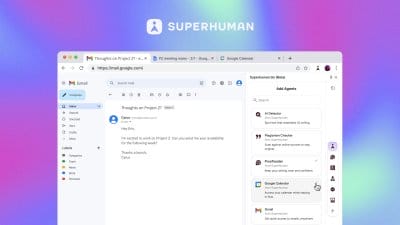
In a strategic move signaling a profound evolution, Grammarly, the ubiquitous AI-powered writing assistant, has officially rebr...
@devadigax | Oct 29, 2025

The sprawling landscape of online retail, while offering unprecedented choice, often leaves consumers drowning in a sea of opti...
@devadigax | Oct 29, 2025
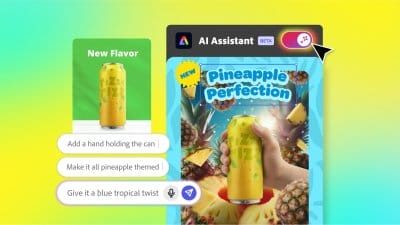
Adobe, a titan in the creative software industry, has just unveiled a significant leap forward in its product offerings, integr...
@devadigax | Oct 28, 2025

Microsoft is rolling out a substantial upgrade to its Copilot AI assistant today, marking a significant evolution in how users ...
@devadigax | Oct 23, 2025
In a move poised to fundamentally reshape how we interact with the internet, OpenAI has officially launched ChatGPT Atlas, a gr...
@devadigax | Oct 22, 2025

In a significant move that reshapes the landscape of AI chatbot accessibility, OpenAI has officially confirmed that its popular...
@devadigax | Oct 21, 2025